


Thinking of switching from Harvest after the price increase? What to decide first, what data you can export, and how a migration actually works.
Most of the work in switching from Harvest happens before you choose a replacement. These are the points to settle first, whichever tool you end up on.
Harvest's terms of service commit to 30 days' notice of any change in subscription fees, and Harvest says it sends a second reminder 10 days before renewal.
If your quote has jumped since the pricing change, that email is probably where the conversation about switching from Harvest starts, and the notice period ends up setting the timeline for the whole decision. It shouldn't. Thirty days is enough time to react to a price, but it's not much time to work out what your firm needs from the system that replaces Harvest, or to move years of time and billing history somewhere new. The deadline is Harvest's, but the decision is yours.
Why so many firms are reviewing Harvest right now
Bending Spoons acquired Harvest in July 2025. Under the new owner, Harvest replaced simple per-seat pricing with a seat price plus usage fees, so how Harvest's new pricing works out for your firm depends heavily on how your team uses it. Many customers only saw the effect when a renewal quote landed.
For some long-standing customers, the renewal landed far above anything they had paid before. Bloomberg reported on a freelance web designer whose annual bill rose twelvefold after 13 years on Harvest.
Many companies are reporting 10X price increases.
Harvest has said the largest increases fell on customers still on older legacy plans. Salentis, a UK consultancy, had used Harvest for at least 15 years when its renewal arrived.
Should you switch from Harvest, or check your renewal first?
Check first, and do it early.
Get a real number for your renewal well before renewal week, because a figure you can plan around is a very different decision from one that doubles your software spend.
Like-for-like tracker or PSA: what are you actually replacing?
Most firms react to a bigger renewal by looking for a cheaper Harvest. Sometimes that's exactly right, and sometimes it swaps one invoice for another while the real problem stays where it was.
When a cheaper time tracker is enough
If your team tracks hours and sends invoices from the same tool, and nobody needs it to answer resourcing or margin questions, a like-for-like tracker covers what you use.
When the renewal is a reason to fix the whole stack
For many growing firms Harvest is only one piece of a larger arrangement, and four questions show how large that arrangement is.
- Are you running Harvest alongside Harvest Forecast or another scheduler?
- Do you rebuild reports in Excel or Power BI because the numbers live in different places?
- Can you see a project's projected margin before it ends, or only after the final invoice?
- Is resourcing done in a spreadsheet that someone has to keep current?
If you answered yes to any of the above, a cheaper tracker fixes the invoice but leaves every workaround still in place.
That's when a move from Harvest to a PSA makes sense, and when it helps to know what a PSA covers.
A time tracker can't close that gap, because resource planning and project financials both depend on hours, rates, budgets and schedules sitting in the same system.
What you can export from Harvest, and what you can't
You can export data from Harvest as CSV files that cover most of what a new system needs, but the person running the export needs administrator rights to get all of it. According to Harvest's help center, only administrators can run the detailed time report across every project and person, while managers see only the projects and people they manage. Not every report or export is available on every Harvest plan either, so what you can take with you depends on the plan you're on. Some exports download straight away and larger ones arrive by email, which is useful to know if you're exporting a decade of time entries.
If you keep expense receipts in Harvest, export the detailed expense report to PDF as well, because that’s the version that includes the receipt images.
Harvest data that doesn’t always transfer cleanly
1) Invoice history
Harvest’s standard time export shows whether each entry was invoiced, but not which invoice it went on. Harvest’s API does record that link, so whether your new system keeps it depends on how it imports your data.
2) Budgets set in hours
Harvest lets you budget a project in hours instead of currency, and an hour-based budget carries no dollar value when it lands in a system that budgets in money. Check how your active projects are budgeted before you export, so you know which ones will need rebuilding.
How a Harvest migration works in practice
The decisions below come up in any PSA migration. What follows is the process our data team runs when firms migrate from Harvest to Projectworks.
Decisions to make before your data moves
The first decision is how far back to go. There's no limit on history, and most firms bring everything across. The second is structure, because Harvest has clients, projects and tasks, while Projectworks has companies, projects, budgets and timecodes. Harvest clients become companies and projects stay projects, while tasks generally become timecodes sitting under budgets. Budgets are the new layer, and they matter because they drive invoicing. The default is one budget per Harvest task, which keeps your existing structure and your invoicing history intact.
Work in progress needs its own decision. The export tells us which time entries were invoiced, so uninvoiced time stays uninvoiced and invoiced time is placed on $0 invoices, which means it counts as billed without pretending to know which invoice it was on. If you bill some clients before the work is done, flag those pre-billed invoices up front.
What to check once your data lands
The first full load contains your complete history, and the review that follows is where problems get caught. Focus on these:
- Project and budget structure, against what you agreed up front.
- Billable rates on a sample of entries across people and project types. A $0 rate usually means it was $0 in Harvest.
- People who couldn't be matched to a user, who appear as inactive placeholder records.
- Leave, which comes across as leave requests.
- Project numbers, which need to be unique.
- WIP on a few active projects, with uninvoiced time sitting against the right budgets.
- A sample of historical invoices, checking amounts, dates and project links.
A dedicated data team handles the technical side and makes bulk corrections during review, so you aren't fixing records one at a time, and our guide on what to expect from a data migration shows who does what at each stage. Once you're happy, the go-live date is confirmed and you send a fresh export. The first load is then cleared and replaced, so you start on current data instead of a snapshot that's weeks old.
How long does switching from Harvest take?
It depends on how much data you're bringing across, which can range from a few seats and a couple of years to a decade of history across a large team. A like-for-like tracker switch is much quicker because there's less to map.
Years of history and the number of seats set the volume, and picking a history cut-off date is the simplest way to reduce it. The rest of the time goes on decisions and review, which take longer when many projects use hour-based budgets or carry a lot of WIP.
Start before the renewal email arrives.
If your renewal is less than a month away, plan on at least one more Harvest billing period and keep Harvest running until the final load is in. Time go-live to a billing cycle or month-end, which is also when the first check-in after launch happens.
The people side of rolling out new PSA software deserves the same planning as the data, because a clean migration that nobody logs time into isn't finished.
Make the renewal the last surprise
A forced review is an awkward way to choose software, but it's also one of the few moments when the whole leadership team is paying attention to the systems the firm runs on. The firms that come out ahead use it to pick something that will still fit when they're twice the size, instead of the cheapest way through next year.
If the renewal has you looking past time tracking, Projectworks is built for exactly that next step.

Read similar resources from Projectworks

How to scale a GovCon firm toward $50M: the three growth stages, what to check before you bid, and how to mobilize after a major contract award.

Projectworks has spent 25 years inside consulting firms. Here’s why we built a Consulting CRM around the proposal, and where it goes next.
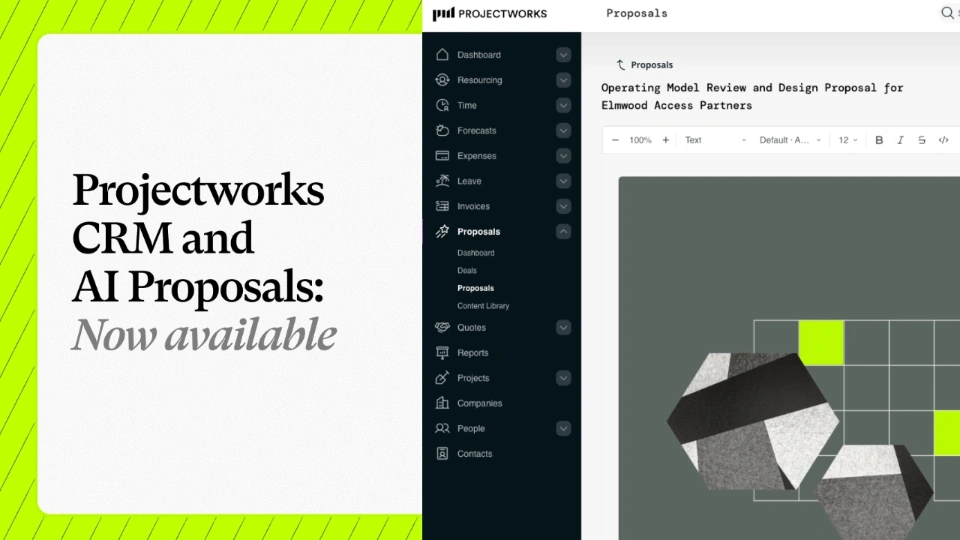
We're excited to announce that our Consulting CRM and Proposals are now available for anyone to use or try out. In just three months, a fast-growing group of firms have been running their pipeline and proposals in Projectworks as part of our early access group, and the results have blown us away.