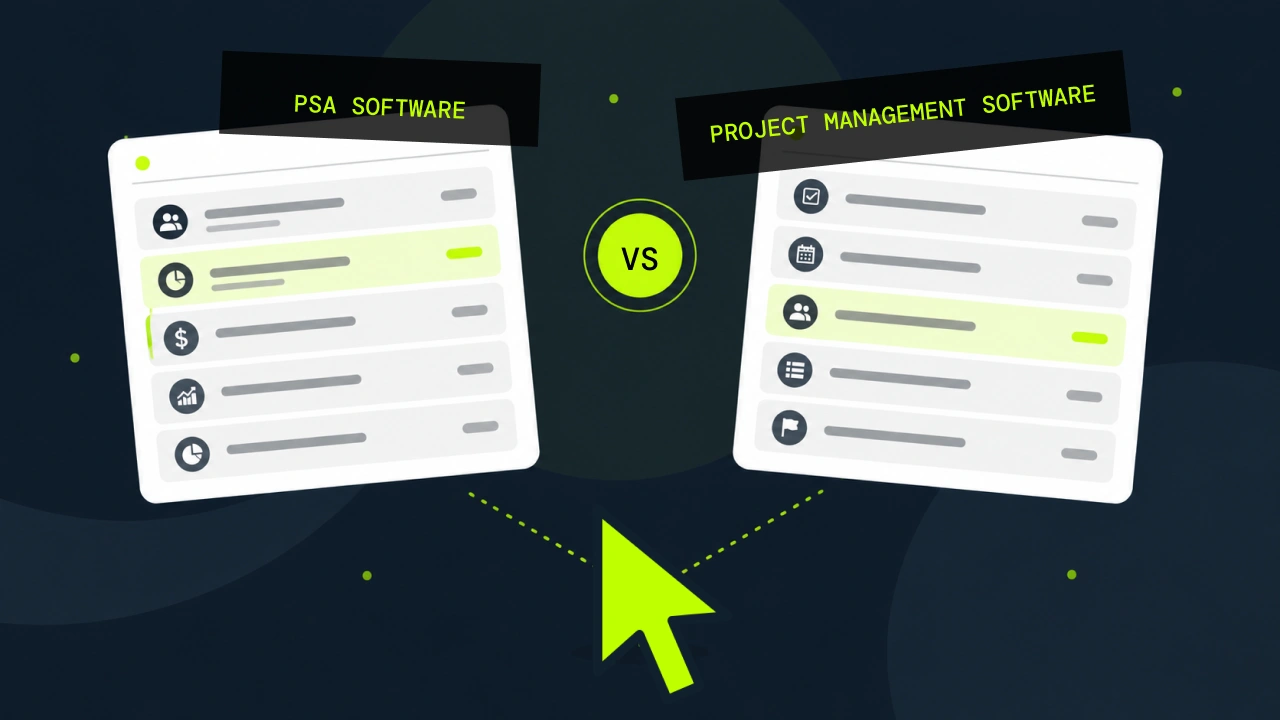


PSA software and project management software solve different problems. Here's where the line sits, and how to tell which one your consulting firm needs.
Every milestone on the engagement closed on time and the client has no complaints, so your project management tool has it marked green. The month-end numbers say the same engagement came in under the project margin you priced it at. Neither system is lying to you. The project tool was never asked to track cost, so it reported on the only thing it could see.
That gap is what the choice between PSA software vs project management software is actually about, and it is why firms switch.
Most leaders assume they will outgrow their project tool once the work gets more complicated. Usually it is the other kind of problem. They outgrow it when the firm gets big enough that nobody can hold the commercial picture in their head anymore, and the software they bought was never built to hold it for them.
What's the difference between PSA and project management software?
Project management software manages the work. PSA software manages the work and the commercial engine behind it, which means resourcing, billing, utilization and margin sit in the same system as the delivery plan.
That is the whole distinction. One tool tells you whether a project is on track, while the other tells you whether the firm is making money and whether it still will be in ninety days.
What project management software does
Project management software organizes work so a team can deliver it. You break an engagement into tasks, sequence them, assign owners and dates, then watch progress against the plan. The whole category is built to answer one kind of question, which is whether delivery is going as planned.
Typical capability set:
- Task and workflow management
- Scheduling and timelines
- Gantt charts and Kanban boards
- Team collaboration and file sharing
- Milestone tracking
- Progress reporting
The category is deliberately industry-agnostic. The same tool runs a marketing campaign or a software build equally well, because the underlying job of sequencing work does not change much between them. If your problem is that work is falling through the cracks, this is the right category and it does the job well.
What PSA software does
Professional services automation software runs the business of selling and delivering billable work. It covers the delivery plan too, but it connects that plan to the money, so the hours a consultant logs flow through to an invoice, a margin number and a revenue forecast without anyone rekeying them.
Typical capability set:
- Resourcing and capacity planning
- Time and expense capture
- Billing and invoicing
- Revenue forecasting
- Utilization tracking
- Project and firm profitability
- Proposal-to-cash workflow
The fit is narrower and deliberately so. PSA is for firms that sell time and expertise, where billable utilization is the metric that decides whether the year works. If you want the wider category view first, we have a plain-language explainer on what professional services automation software actually is.
Where they overlap
The overlap is real and worth calling out, because vendors who pretend it doesn't exist tend to lose the room.
Both categories schedule work and assign people to it, and both track time in some form. For the first twenty minutes of a demo, a good PSA tool and a good project management tool will look fairly similar.
The divergence starts at the money layer. Where project management software treats time as a measure of progress, PSA treats the same hour as a unit of cost and a unit of revenue at once, and builds the firm's financial picture out of it.
PSA vs Project Management Software: 5 Key Differences
The question really is whether you are trying to manage a project or run a firm.
1. Business focus
Project management software optimizes for delivery. PSA optimizes for the commercial outcome of delivery, so the same missed deadline shows up as a margin event, not only a schedule event.
2. Resource management
A project tool assigns people to tasks inside one project. PSA plans capacity across every engagement at once, which is the only way to catch that three project managers have each promised the same senior engineer to a different client in March.
3. Time and billing
In a project tool, time tracking is usually an add-on that measures effort. In PSA, time capture is the spine, because it feeds the invoice, the margin calculation and the utilization report from a single entry.
4. Financial visibility
This is the real dividing line. Project management software can tell you a project is behind, but not what the firm's revenue forecast looks like, which clients are unprofitable, or how next quarter reads at current pipeline and current bench.
5. Who it's built for
Project tools serve teams whose job is to deliver work. PSA serves firms whose product is their people's time, where the operational question and the financial question are the same question.
The pattern shows up clearly in the industry data. SPI Research's 2026 Professional Services Maturity Benchmark found that high-performance firms are markedly more likely to have wired their PSA into their core financial system than everyone else, and that integration is precisely where live margin visibility gets built.
Signs you've outgrown project management software
Firms rarely make this call in a strategy session. It usually surfaces when someone asks a question at a leadership meeting and the honest answer is that finding out will take a week.
- No live view of margin or utilization, only a month-end report
- Overruns discovered after the fact instead of while there is still time to act
- Resourcing lives in a spreadsheet that one person maintains
- Finance rebuilds the same report by hand every month
- Timesheets get reconciled against invoices manually
- Proposals go out promising people who are not actually available
One or two of these is normal at any size. Four or more, consistently, and the tooling has stopped keeping up with the firm. The same pattern shows up in firms making the jump from spreadsheets, which we covered in five signs it's time to move off spreadsheets.
When project management software is still the right choice
Here is the part most vendor comparison pages leave out, which is that plenty of firms should stay exactly where they are.
If you are under ten people, running a handful of concurrent engagements, billing on simple terms, and closing the month in an afternoon, PSA will buy you administration rather than headroom. You would be paying for capacity planning across a portfolio you can still hold in your head, and forecasting for a pipeline you can read off a single page. The tool would work perfectly well and still not earn its keep.
It is worth being upfront about the actual pain, too. If the problem is that your team cannot see who is doing what this week, or that work keeps getting dropped between handoffs, that is a collaboration problem and PSA will not fix it. Buying a commercial system to solve a coordination failure leaves you with both problems and a bigger bill.
It is worth knowing where the category sits at the other end as well. PSA occupies the middle ground between point tools that each do one job without talking to each other, and full ERP systems built for much larger organizations. Above a certain size, or once billing gets genuinely complex across multiple entities and revenue recognition rules, the conversation shifts toward ERP.
How to choose the right software for your firm
Here are five questions, and each one points somewhere different.
Do you bill clients for your team's time?
- If no, you want project management software and the rest of this is academic.
- If yes, keep going.
Do you need margin and utilization live, or is month-end soon enough?
- If a monthly look-back has never cost you money, your current setup is fine.
- If you have been surprised by a number you could have caught three weeks earlier, that is the case for PSA in one sentence.
How many engagements run at once?
- Under about five, a spreadsheet and a good project tool hold.
- Past fifteen or twenty, cross-project resourcing stops being a planning exercise and becomes the thing that determines your utilization.
Who makes the resourcing call today, and on what?
- If it is one experienced person working from memory and a whiteboard, the firm has a single point of failure, and that arrangement works at twelve people but breaks somewhere around forty.
What does finance rekey by hand every month?
- Every manual step between a logged hour and an invoice is a place where margin leaks and nobody notices. Count them, because that number is your business case.
Where to start
Start with the question your current tools cannot answer, not with a vendor shortlist. Write it down, then work out what would have to be connected for the answer to appear on a screen instead of in someone's inbox three days later.
For most firms that comes down to putting delivery and finance on the same screen, which is what a professional services automation platform is for. Customers grow 20% on average in their first year with Projectworks. If you want to see how the category compares before you talk to anyone, we have a rundown of the top PSA tools for consulting firms.
There is a longer-term reason to get the data connected too. Once resourcing, time and margin live in one place, AI has something real to work with, and it can start answering resourcing questions instead of just recording the answers after the fact. That only works if the underlying system knows what your firm actually looks like.
The tool is not the decision. The decision is whether you are still running a set of projects, or running a firm.

Read similar resources from Projectworks

Choosing a CRM for your consulting firm? Here's what actually matters. From tracking the bids you have out to what happens once a job is won.

The most oversold word in AI resourcing right now is autonomous. Almost nothing in the category actually runs without a person making the call, and the tools that claim otherwise tend to come apart the moment they meet real data.

Learn what client lifetime value (CLV/LTV) means, how to calculate it, and why it matters for consulting and professional services firms.