Bring your Project Data Into the AI Tools You Already Use
Your Projectworks data in your preferred AI tool like Claude or ChatGPT, ask, analyse and move forward in your own words.

What's a MCP?
Many consulting firm leaders have heard of MCP, short for Model Context Protocol. Despite its name, MCP is the AI tool where you don’t need the technical detail to make it work for you.
Connect the Projectworks MCP and you can ask your AI assistant (Claude, Copilot or ChatGPT) about your firm in plain English.
Search, query, analyze and update your Projectworks data depending on permissions. You can also pull information from Projectworks into other tools.
Your Projectworks data right in your AI tools
No new login, no separate app to check. Ask Claude, Copilot or ChatGPT, directly and get answers without leaving your workflow.
Your Projectworks permissions apply here too
Your AI tool sees only what you can see in Projectworks. If you can’t access something in Projectworks, your AI tool can’t either.
Your requests move seamlessly across every tool
Your Projectworks data can interact alongside every other MCP-connected tool your firm already uses, no custom integration required. Think your calendar, HRIS, project management and communication tools.
Here’s what that looks like for your firm's people
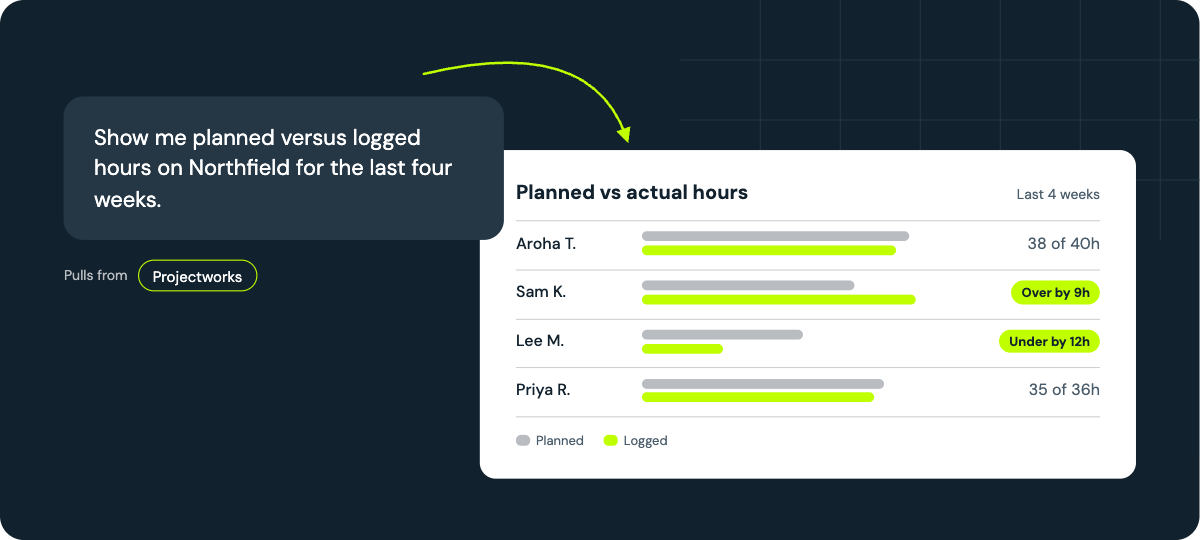
Project Managers: Check planned against logged hours on any project
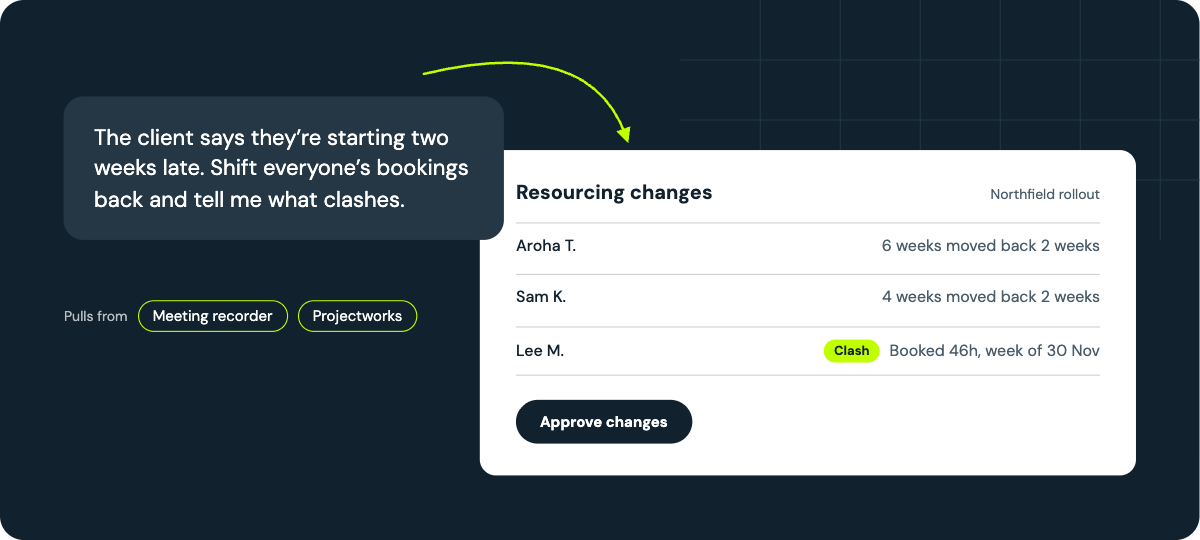
Operations and Resourcing: Move a whole team’s bookings when a start date slips
Management: Build board slides from live data

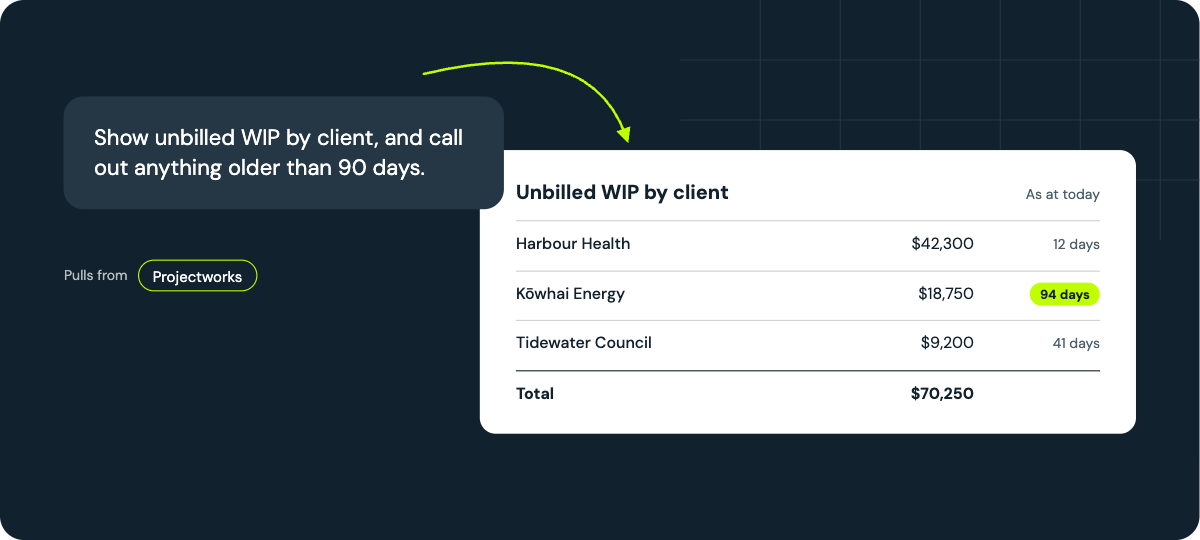
Finance Managers: Spot old unbilled WIP before month end
Ready to explore more ways to use the connection between your preferred AI tool and Projectworks? Copy these five AI prompts for project managers and five resource planning jobs you can do faster with AI.
Build