Projectworks MCP Design Kit [Claude Skill]

Your Projectworks data in Claude, looking and feeling like Projectworks. The MCP Design Kit is a free Claude skill for the Projectworks MCP that shows what the connector returns as Projectworks tables, charts and cards.
Projectworks MCP Design Kit [Claude Skill]

What does the Projectworks MCP Design Kit do?

Ask Projectworks a question, the way you do now.

There's no prompt to learn. Once it's installed, Claude loads the skill whenever the Projectworks MCP returns data, from a quick lookup to a full forecast.

Work in Claude with the Projectworks look you already know.

Going between Claude and Projectworks feels like one experience, and the Open in Projectworks link on every answer takes you straight to the source.

Get a clear view.

The skill looks at what Projectworks sends back and picks the best way to show it. Your team’s hours become a bar chart against capacity, and a single project becomes a summary card. It only uses numbers from Projectworks, shows where each figure comes from, and suggests two or three follow-up questions you can click.

Examples: What it looks like
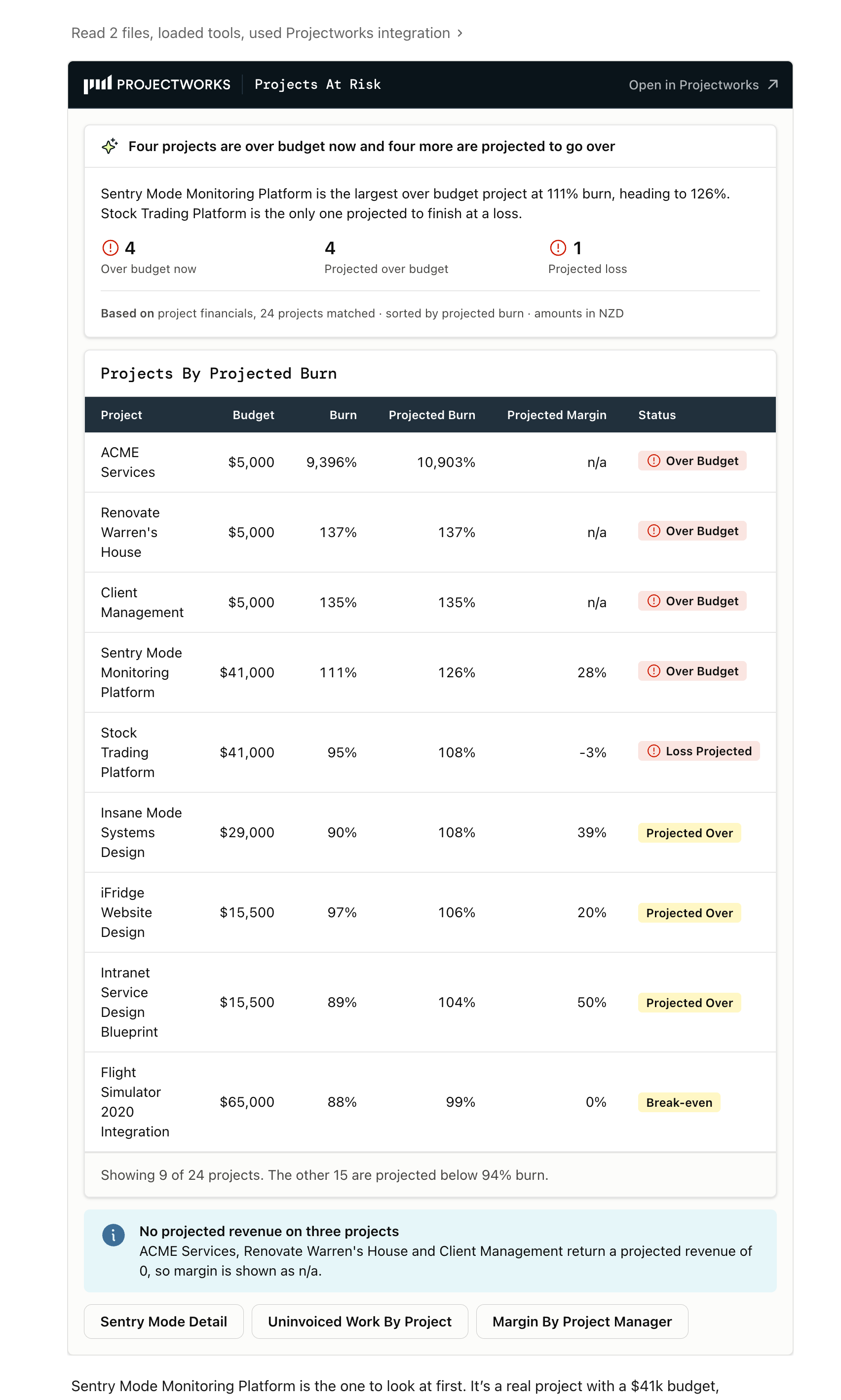
Ask which projects are at risk. You get the answer first, every project ranked by projected burn, and a note on what the numbers can't tell you.

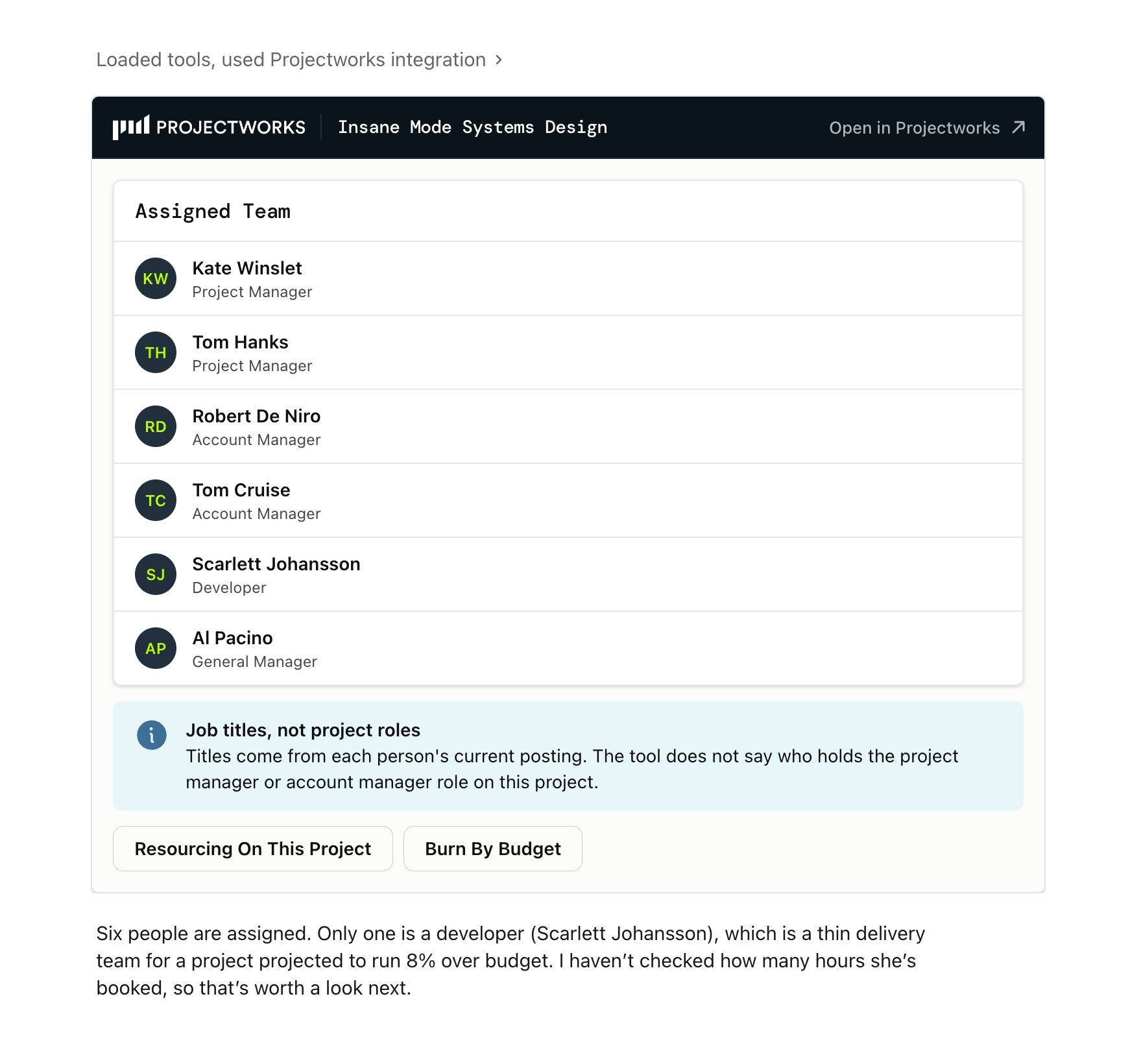
Ask who's on a project. The team comes back as a clean list, with a note that the titles are job titles, not roles on this project.

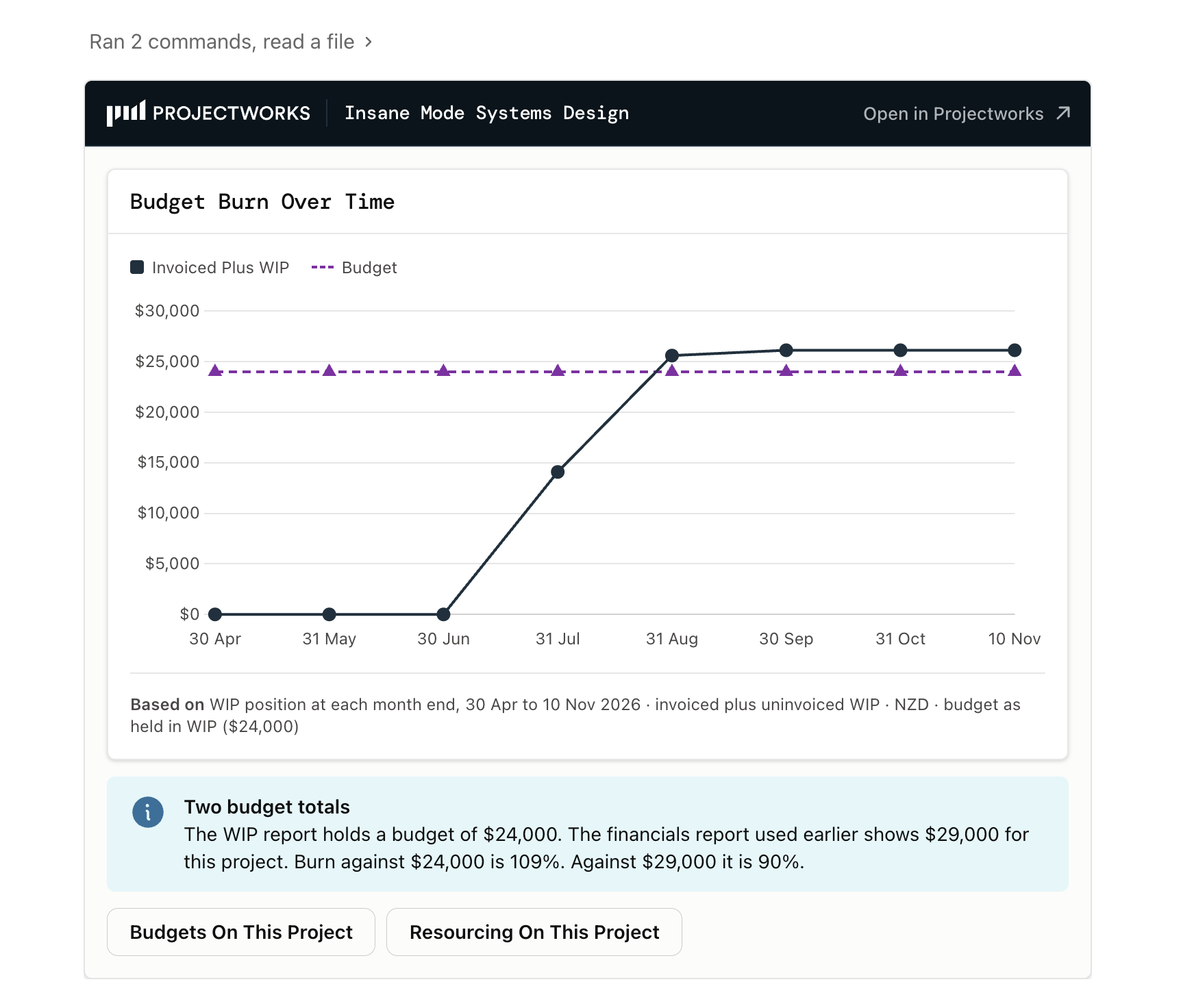
Ask how a budget has burned. You get a chart against the budget, and a flag when two Projectworks reports give different budget totals.


How the Projectworks MCP Design Kit works

  1. Install the skill. A few minutes, and the steps are below.
  2. Connect the Projectworks MCP in Claude. New to MCP? Start with what MCP is and how it works.
  3. Ask about your projects, people or numbers. Claude answers with the right view.

Not connected to the Projectworks MCP yet?

The design kit changes how your Projectworks data looks, and the data itself comes from the Projectworks MCP. The MCP connects your Projectworks account to Claude with your own permissions, so Claude only sees what you can already see in Projectworks.


How to install the Projectworks MCP Design Kit in Claude

What is a Claude Skill?

A Claude skill is a set of instructions you add to Claude once. After that, Claude uses it whenever it's relevant.


You will need:

  • a Claude account (any plan works, including free)
  • the Projectworks MCP connected in Claude
  • about 3 minutes

Don't unzip the file!

Claude needs the .zip exactly as it downloaded. If Safari on your Mac has turned it into a folder, right-click the folder and choose Compress, then upload the .zip that creates.

Install in five steps

1. Turn on file creation.

Go to claude.ai/settings/capabilities and switch on Code execution and file creation. In newer versions of Claude it's called Create and edit files.

2. Open your skills.
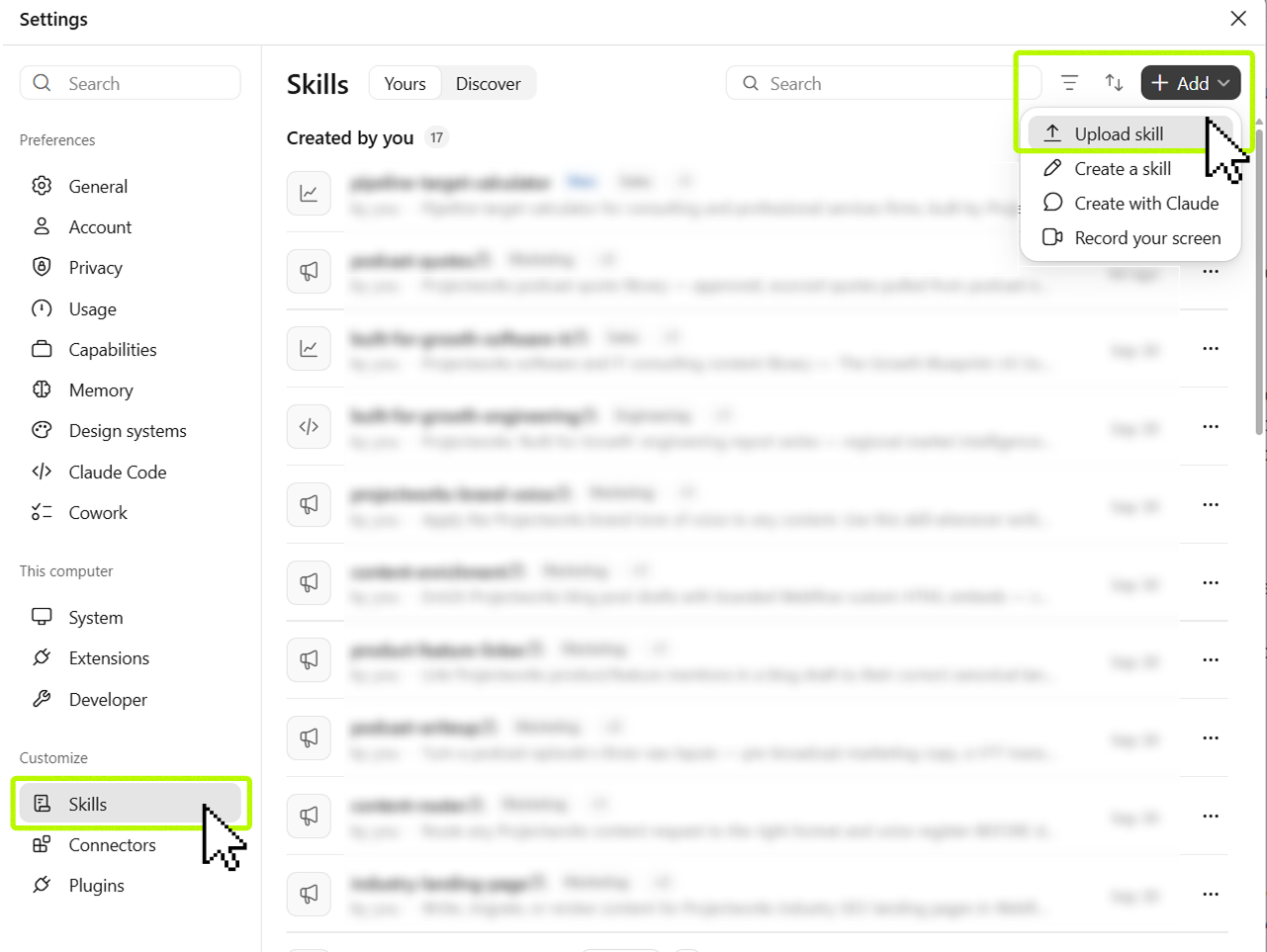
How to upload a claude skill

App: Click your user account on the bottom-left, then click Settings. Skills are found under Customize in the sidebar.

Web: Go to claude.ai/customize/skills.

3. Upload the skill.

Click + Add > Upload Skill.

Drag the projectworks-mcp-design.zip from your Downloads into the file uploader, or browse for the file.
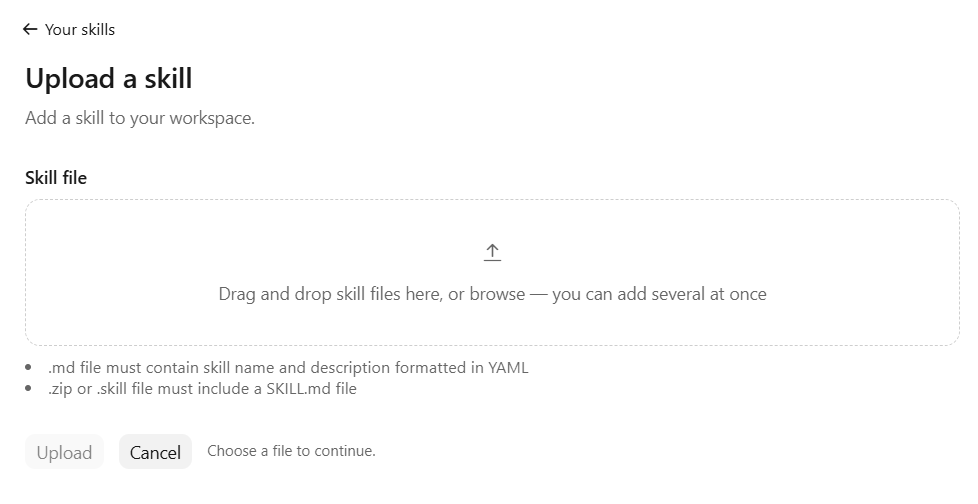
How to upload a Claude skill

4. Check it's on.

projectworks-mcp-design should appear in your skills list. Make sure its toggle is on.

5. Start a new chat.

Ask Projectworks a question, like the one below.

Copy this into a new chat (click the text to select it)

Show me my active projects in Projectworks.

‍


Not working?

If this happens Try this
I can't see Skills, or they look grayed out Turn on Code execution and file creation in Settings. On a Team or Enterprise plan, ask your Claude admin.
There's no Create skill or Upload option Work accounts can have skill uploads turned off. Ask your Claude admin.
The upload failed Upload the .zip file, not a folder, and don't rename or edit anything inside it.
Claude answered in plain text That's by design for a single value or one-sentence answer. For anything longer, check the skill's toggle is on and start a new chat.
Claude can't reach Projectworks Connect the Projectworks connector in Claude.

‍

Check Anthropic's guide for more help: Use skills in Claude


FAQs

What is a Claude skill?

A set of instructions you add to Claude, Anthropic’s AI assistant. Once it’s installed, Claude uses it in any new chat where it’s relevant, with no prompts to write.

Do I need a paid Claude plan?

Skills work on every Claude plan, including free. You also need the Projectworks MCP connected, and on Team and Enterprise plans your admin may need to allow skill uploads.

Does it change anything in Projectworks?

No. It only formats answers. Anything you ask Claude to change still needs your confirmation before it’s saved, and the follow-up questions it suggests only read data.

Does Projectworks see my data?

The skill doesn’t send your data anywhere. It changes how Claude displays what the Projectworks MCP has already returned, and the display runs in your browser.

Does it work in ChatGPT or Copilot?

No. It’s a Claude skill and relies on Claude’s inline visuals. The Projectworks MCP also connects to ChatGPT and Copilot, but the design kit only runs in Claude.

How is this different from Kea?

Kea is the AI assistant inside Projectworks. The MCP Design Kit works in Claude, where it styles the answers Claude gets from Projectworks through the MCP.

‍

Download

Download the Projectworks MCP Design Kit [Claude Skill] for free today

Keep reading

Explore similar resources from Projectworks
Free 2027 Revenue Planning Toolkit for Consulting Firms
Downloads

Six free tools to build a consulting firm's 2027 revenue plan. Rank clients, find the gap, set pipeline targets, plan sales pay, report to your board.
November 10, 2026
Downloads
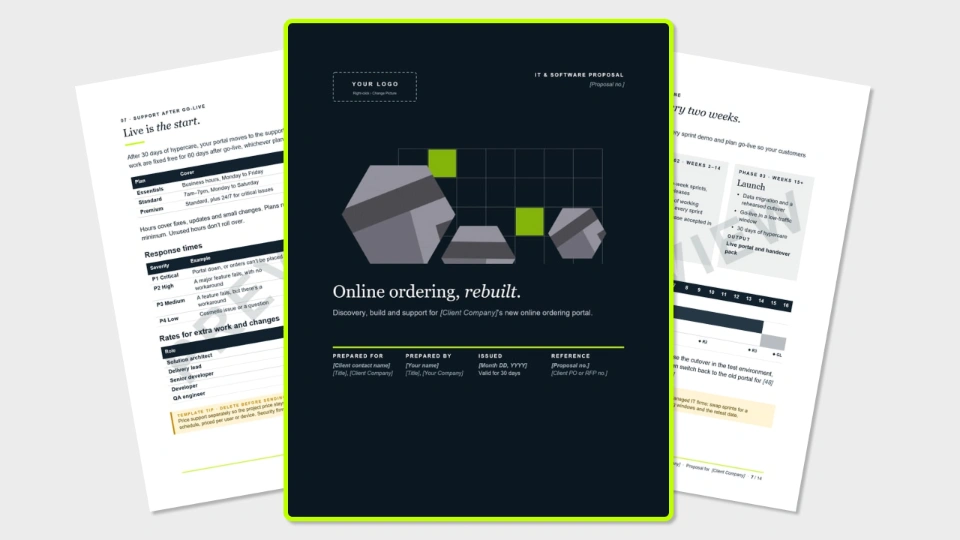
Free IT & Software Proposal Template (Word + PDF)
Downloads

A 13-page software proposal template for IT and software services firms, covering requirements, security, delivery, support plans and milestone pricing. Free in Word and PDF. Instant download.
November 5, 2026
Downloads
Free Revenue Plan Template for Consulting Firms (Excel Spreadsheet)
Downloads

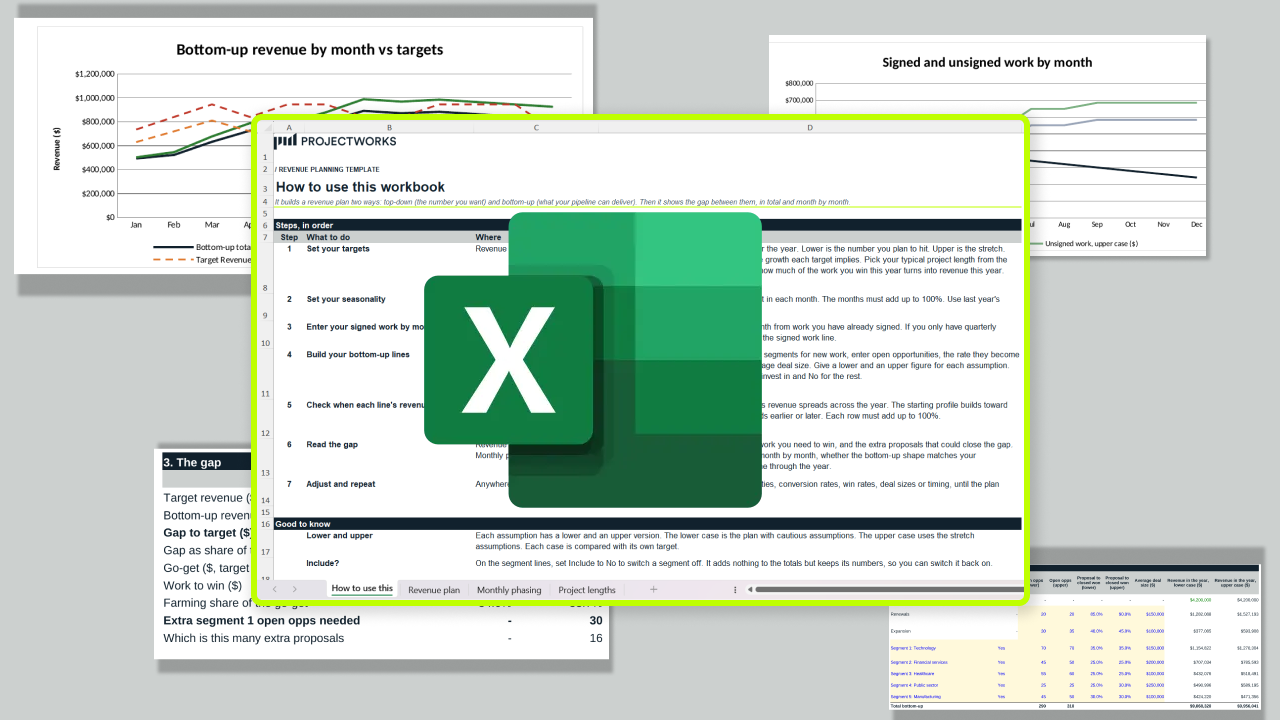
A free revenue plan template that sets your target against what your pipeline can actually deliver, then shows the gap in total and month by month. One Excel workbook, four tabs, seven steps.

November 4, 2026
Downloads
Ready for the next step?

Start a free trial and try Projectworks for yourself. No credit card needed, and you'll be up and running in no time.