![Best AI Resourcing Software for Consulting Firms 2026 [Compared]](https://cdn.prod.website-files.com/66e7bd6e836e6762f85a0c45/6a5d9a8fcf5561baa20bdb32_best-ai-resourcing-tools-2.png)


The 8 best AI resourcing tools for SMB consulting firms in 2026, compared on AI depth, G2 ratings, and fit for professional services.
Most consulting firms run resourcing out of a weekly meeting and a spreadsheet that's already out of date by the time it's opened. The real picture lives in a few people's heads. So someone gets staffed onto a project while they're on leave, and a senior consultant spends three months on an engagement anyone with the full picture would have staffed differently. Proposals go out without a confirmed team behind them, and when you can't promise a client who's doing the work or when it starts, the discount closes the deal instead. None of it appears as a line item, and firms carry the cost for years and call it being busy.
None of this shows up as a line item. It shows up as a firm that feels busy but doesn't grow.
AI resourcing software is supposed to fix this, and the good tools genuinely do. The catch is that "AI resourcing" has become one of those terms that means whatever the vendor needs it to mean. Scheduling apps with a chatbot in the corner claim it. Enterprise platforms that take six months to implement claim it. So before comparing tools, it's worth sorting out what actually counts.
How we ranked these tools
Four criteria, applied to every entry:
- whether the AI is embedded in the resourcing workflow or bolted on beside it,
- fit for SMB consulting firms of 20 to 200 employees,
- G2 satisfaction data (ratings and review counts sourced July 2026, shown accurately for every tool including ours),
- and whether resourcing connects to margin or floats free of the numbers.
Where a tool is a better fit for a different firm profile than ours, the verdict says so.
What Is AI Resourcing Software?
AI resourcing software helps consulting firms figure out who's available, who's right for a project, and what that staffing decision costs, using live data instead of last week's spreadsheet.
The "AI" label covers a lot of ground. Some tools bolt on a single AI feature. Others run real matching against skills, availability, and financials. That difference is most of what this guide sorts out.
The Three Tiers of "AI Resourcing" in 2026
Tier 1: Schedulers with an AI sticker
Visual calendar tools, often excellent at what they do, that added an AI feature to stay in the conversation. They answer "who's free next Tuesday." They can't answer "who should we staff on this fixed-fee engagement without blowing the margin," because they don't know what the project margin is. Float, Resource Guru, and most of the tools ranking in generic resource management categories live here. None of them made this list, not because they're bad tools, but because they're answering a different question.
Tier 2: PSAs with AI features
Full platforms where resourcing connects to time, billing, and financials, with AI capabilities of varying depth layered in. Most of this list lives here, and the differences between them come down to who the platform was built for and how deep the AI actually goes.
Tier 3: AI that acts
Platforms where the AI executes routine resourcing operations rather than only surfacing information. This tier is small, and vendors describe roadmap ambitions as shipped features often enough that the claim always deserves checking. The honest test: ask the vendor what the AI is currently doing for product customers, unprompted, without a human clicking approve.
The eight tools below are the Tier 2 and Tier 3 platforms worth evaluating, ranked for the type of firm profile this comparison serves: consulting and professional services firms of 20 to 200 people in industries such as (but not limited to) software and IT, management consulting, engineering, and architecture.
The Top 8 At A Glance [Compared for 2026]
1. Projectworks
What it is
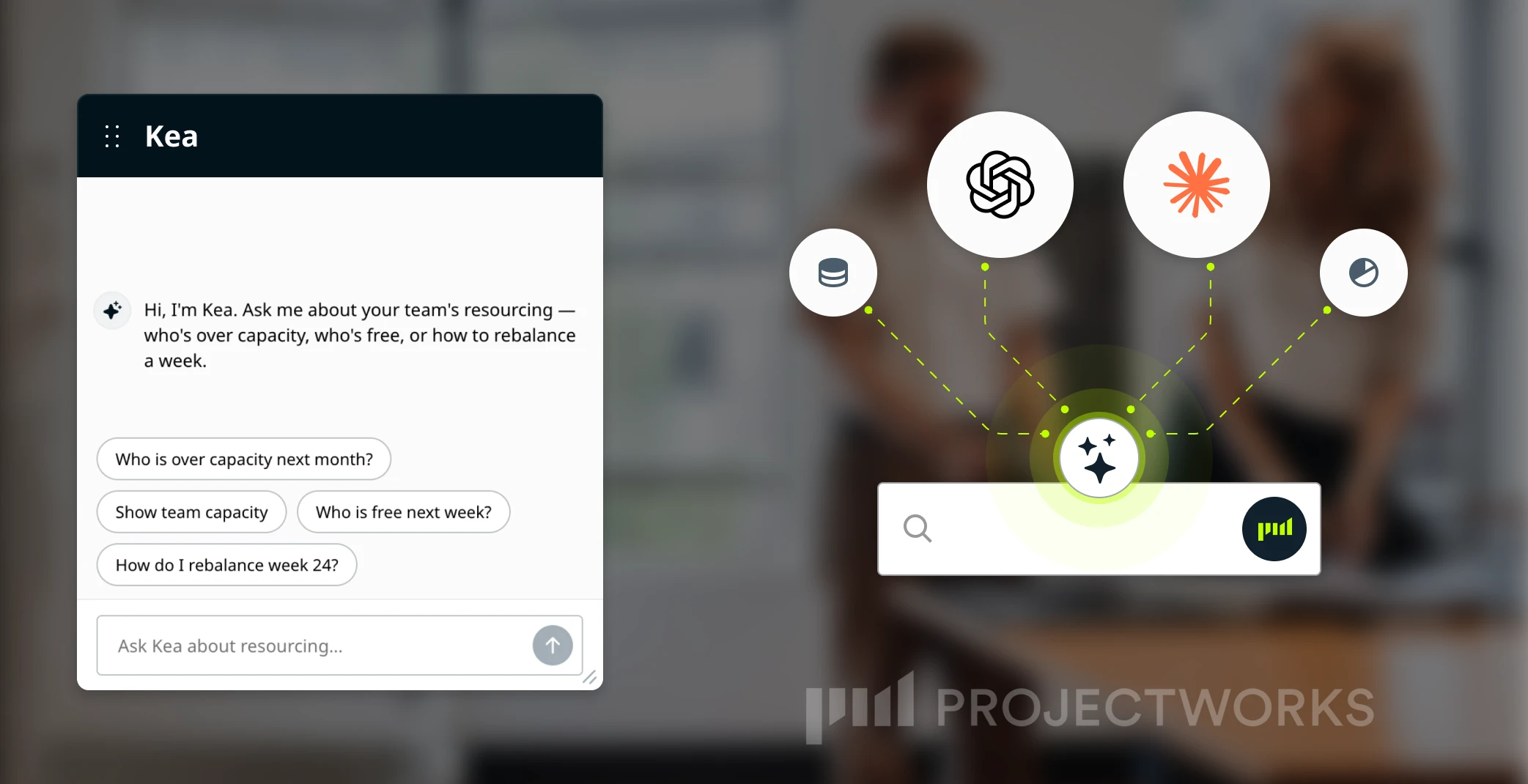
An AI-powered, operator-built PSA for SMB consulting firms. Resourcing, time and expenses, invoicing, CRM, proposals, forecasting, and reporting in one system, with Kea, the in-app agent, turning that connected data into answers.
Where it wins
Specificity. Projectworks is built for consulting firms of 20 to 200 people in software and IT, management consulting, engineering, and architecture, and nothing else on this list matches that focus. Resourcing understands skills and grade rather than just calendar slots. Utilization, margin, and budget burn live in the same system as the staffing decision, so the Monday meeting runs on one set of live numbers instead of three exports. Kea is trained on the Projectworks Method, drawn from 150+ years of operator experience founding and scaling consulting firms, so its guidance is like an experienced ops director rather than a generic chatbot. And because Projectworks ships MCP integration, firms already working in Claude or ChatGPT can bring their live operational data into those tools too.
Where it falls short
Kea's initial release is advisory: it answers, diagnoses, and recommends, but a human executes. This is perfect for firms and project managers who still want to approve actions themselves anyway, however firms that want AI to be autonomously writing to the schedule today will find Rocketlane further along that curve. Fit also narrows above roughly 500 people, where enterprise platforms earn their complexity. And some reviewers want more from reporting customization and integration breadth.
The verdict
For the firm this list is ranked for, an SMB consulting firm that wants resourcing, margin, and AI in one honest system, this is the strongest fit on the list. G2: 4.5/5.0 across 210 reviews. Pricing: Most popular plan with 20 users from $42.30 / monthly per user.
2. Rocketlane

What it is
An agentic PSA for mid-market to enterprise professional services teams, with Nitro, a network of AI agents that automate routine resourcing operations and flag delivery risks.
Where it wins
AI execution depth. Nitro is the most developed Tier 3 offering on this list: it can assemble staffing options, rebalance around leave, and keep plans current as scope shifts. For implementation-heavy PS teams (SaaS onboarding, IT services delivery) the client portal and SOW-to-plan automation are genuinely differentiated.
Where it falls short
The resourcing AI sits on the Premium tier at a meaningfully higher per-user price, so the headline capability isn't the entry-level experience. The platform is built around customer-facing delivery, the work SaaS and IT services companies do taking a signed account through to go-live, and much of the product assumes that shape: client portals, onboarding templates, time-to-value reporting. Consulting engagements are scoped one at a time and don't hold it. A firm doing discovery, strategy, and delivery across a dozen unrelated clients spends its setup effort switching off what was built for someone else's business model to get at time, resourcing, and margin. Worth it if there's a real implementation motion in the mix. Without one, the rollout assumes a systems owner a forty-person firm doesn't have, and most of the product ends up as scenery.
The verdict
The strongest choice for mid-market PS teams running implementation-style delivery, and the current benchmark for agentic AI in this category. G2: 4.7/5.0 across 833 reviews. Resourcing features from $69 / monthly per user.
3. Kantata
.png)
What it is
A mature enterprise PSA (formerly Mavenlink + Kimble) centered on financial forecasting, portfolio reporting, and algorithmic resource matching for large PS organizations.
Where it wins
Depth at scale. For a 500-person consultancy with a formal PMO and finance-led operations, Kantata's forecasting, revenue recognition, and portfolio views are hard to match. The Salesforce-native deployment option matters for organizations whose operations already live there, and the AI Resourcing Agent does genuine multi-parameter matching.
Where it falls short
The learning curve is the most consistently flagged issue in its reviews: G2's ease-of-use score sits below category average, and day-to-day workflows can feel rigid for firms whose delivery model changes quarter to quarter. Custom pricing means evaluation requires a sales cycle, and implementation timelines reflect the enterprise positioning.
The verdict
Right for enterprise PS on Salesforce with mature process. Heavy for a 60-person consultancy. G2: 4.2/5.0 across 1,451 reviews.
4. Ruddr

What it is
An AI-native PSA positioned as enterprise-grade functionality without enterprise setup, for services organizations of 20 to 2,000 billable people. Ruddr Intelligence, the embedded AI layer, handles natural-language analytics and reporting.
Where it wins
Ease relative to power. Ruddr posts some of the strongest usability scores in the category while covering the full PSA surface: time, expenses, invoicing, revenue recognition, and resourcing, with 150+ currency support for global teams. The AI layer is genuinely embedded rather than bolted on.
Where it falls short
It has a smaller install base than other platforms listed here, going by review volume, and reviewers flag report customization limits and a learning curve on advanced features. Its AI is analytical (ask questions, pull data, generate charts) rather than execution-oriented, so if autonomous action is the goal, this isn't the tool furthest down that path.
The verdict
The best pick for mid-market services teams that want AI-native PSA and fast time-to-value. G2: 4.6/5.0 across 337 reviews.
5. Scoro

What it is
An end-to-end PSA covering quote to cash, with a built-in CRM, utilization heatmaps, and ELI AI for natural-language queries against live project and financial data. Its MCP Server also connects Scoro data to external AI tools.
Where it wins
Consolidation. For a firm wanting pipeline, projects, and invoicing in one system without stitching a CRM to a PSA, Scoro covers the widest workflow on this list. The 50+ built-in report templates cover most of what an ops leader asks monthly.
Where it falls short
The steep learning curve is the most consistent theme in its reviews, and most teams need the Pro tier before the platform earns its keep. Some reviewers find the interface dated and the time-tracking layer thin for production-heavy teams.
The verdict
Strong for mid-sized firms whose priority is one system from first conversation to final invoice. G2: 4.5/5.0 across 483 reviews.
6. BigTime

What it is
A PSA built around time tracking, billing, and budget control, strongest in IT consulting, accounting-adjacent services, and architecture. AI capability centers on assisted time capture and anomaly detection.
Where it wins
Billing discipline. Rate cards, invoice workflows, WIP and revenue recognition reporting, and native QuickBooks and Sage integrations make it the strongest pick on this list for firms where getting every billable hour invoiced accurately is the primary operational need.
Where it falls short
Resourcing is functional rather than differentiated: capacity forecasting and skills matching sit well behind the platforms above it here, and G2's resourcing-specific scores reflect that. The AI story is the thinnest of the eight.
The verdict
Choose it for billing accuracy, not for AI resourcing. G2: 4.5/5.0 across 1,695 reviews.
7. Dayshape

What it is
A specialist AI resource management platform, strongest in accounting and audit, whose AI Assist and AI Advise features use suitability scoring to match people to engagements on skills, qualifications, availability, and location.
Where it wins
AI-first design. Suitability scoring is the core interaction, not a feature, and the configurable AI levels let firms increase automation as their data and processes mature. For a large audit practice staffing hundreds of engagements against qualification requirements, nothing else here matches it.
Where it falls short
It's a point solution: no connected time, billing, or financial reporting, so it runs alongside other systems rather than replacing them. Its positioning outside accounting-adjacent professional services is less established.
The verdict
The specialist's choice for accounting and audit; a partial answer for a general consulting firm.
8. Productive

What it is
An agency-focused PSA covering resourcing, projects, time, budgets, and invoicing, with AI features that reviewers describe as emerging.
Where it wins
Accessibility. Full PSA coverage with no seat minimums, plus native retainer budget tracking that agency-model firms won't find elsewhere on this list, and profitability reporting that doesn't need a separate BI tool.
Where it falls short
The AI layer is the least developed here, navigation draws complaints from new users, and the integration ecosystem is narrower than the enterprise-tier platforms.
The verdict
The right entry point for agencies and small consulting firms buying on budget, with the trade-off that AI capability arrives later. G2: 4.6/5.0 across 73 reviews.
Choosing the Best AI Resourcing Tool for your Firm
The honest routing, including where we're not the answer:
What to Look For in AI Resourcing Software
A feature list won't tell you much, because every vendor's list looks the same on a slide. Four things actually separate the tools that help from the tools that just look busy.
1. Is the AI connected to your real data, or just bolted on?
Plenty of teams want to work through a chat interface, and that's a perfectly good way of working in 2026. What matters though is what sits behind it. An assistant wired into a scheduling tool that doesn't know your rates, margins, people, or pipeline can only give you shallow answers dressed up nicely. One sitting on a full PSA's live operational data can tell you what a staffing call actually does to a project's margin. Ask what data the AI can see. That's the line that matters, not whether it opens in a panel.
2. Does it account for cost?
Rate, grade, skill, and margin are the difference between a staffing recommendation and a scheduling suggestion. A tool that ignores them is doing the second thing and calling it the first.
3. Was it built for a firm your size?
A tool for a 900-person PS org and a tool for a 40-person consultancy solve different problems, even when the websites use the same words. Check the customer logos, not the feature list.
4. What does the AI roadmap actually look like?
This is the one that's changed most, and the one buyers get wrong most often. AI resourcing is moving fast, and every vendor on this list is shipping new capability on a roadmap that shifts quarter to quarter. That's not a reason to wait, but it does mean the demo you see and the product you buy can be two different things.
So separate three buckets:
- what's live and in general release,
- what's in public beta and being tested with real customers,
- and what's still an ambition on a slide.
Then ask the only question that matters for you: how far off is the specific capability your firm needs, and is that weeks, quarters, or "we're thinking about it." Get the answer in writing. Plenty of vendors describe next year's ambitions in the present tense.
AI Resourcing Software Use Cases
How to Test Tools Against Your Firm's Needs
A feature list won't tell you which AI resourcing tool to buy. Every vendor's looks the same. What decides it is whether a tool handles the specific resourcing problems your firm is stuck on, so walk into each demo with your own use cases, not the vendor's script.
Below are five resourcing scenarios most consulting firms need to solve. Bring the ones that match your week, and make the vendor answer them live, in the product, with data that looks like yours.
Use case 1: Checking real availability.
"Who's genuinely free in the next month?"
Not who the calendar shows as open, but who's actually available once you account for approved leave, soft-booked pipeline work, and the scope change that landed last week. If the answer comes with an asterisk, that's your answer.
Use case 2: Matching the right person, not just a free one.
"Who's the right fit for this project?"
Free and suitable aren't the same. A real answer weighs skills, seniority, cost rate, and what happens to the margin on the project you'd pull them off. This is where the scheduling tools drop out.
Use case 3: Seeing the financial impact of a staffing call.
"If we make this decision, what happens to the numbers?"
You want the margin impact without opening a second system. If the tool can't show it, resourcing and finance live in different places, and you're back to reconciling exports every month.
Use case 4: Catching risk before it's a problem.
"What's building that nobody's flagged?"
The project heading over budget. The consultant sitting at 115% for a month. The best ops leads track this in their heads. See whether the software surfaces it before it becomes a client conversation.
Use case 5: Staffing pipeline before it closes.
"Can we plan for work we haven't won yet?"
Staffing against pipeline is where growing firms get caught out. You need to soft-allocate people to unconfirmed work without breaking the confirmed plan. A lot of tools can't do this at all.
Run your real use cases against a demo and the shortlist sorts itself out fast. These five also happen to be what Projectworks was built to answer, because the people who built it spent years on the wrong end of them.
Why choose Projectworks?
Every tool on this list is a legitimate answer for somebody. The case for Projectworks is narrower, and for the right firm, stronger: it's the only platform here built for one specific shape of company, a 20-to-200-person consulting firm in industries such as software and IT, management consulting, engineering, architecture, or similar.
Timesheets built for people who bill by the hour, not adapted from a generic PM tool.
Resourcing that thinks in skills and grade rather than open calendar slots.
Margin sitting next to the staffing decision instead of living in a separate finance export.
Invoicing that talks to Xero, QuickBooks, and MYOB, because those are the systems these firms actually run on.
It also shows up in Kea. Kea isn't trained on the general internet's idea of project management. It's trained on the Projectworks Method, 150+ years of collective experience building and selling consulting firms, so Kea answers as an operator who's actually sat in the chair, not just a chatbot guessing based on what everyone else is saying.
FAQs
What's the difference between AI resourcing and a scheduling tool with AI features?
Tier, in the framework above. A scheduler with AI answers availability questions from calendar data. AI resourcing answers staffing questions from connected operational data: skills, capacity, cost, margin, and pipeline together. The practical test is whether the tool can tell you what a staffing decision does to project margin without opening a second system.
Is advisory AI worth having, or should firms wait for agentic AI?
Advisory AI solves the problem most firms actually have, which is that the Monday meeting runs on stale, contradictory data. Getting instant, accurate answers about availability, utilization, and margin removes most of the pain. Agentic execution is valuable on top of that foundation, but agentic AI running on bad or disconnected data automates mistakes faster.
Can a 25-person firm justify a full PSA?
Usually, yes, and earlier than most firms expect. The spreadsheet workflows that feel manageable at 25 people calcify into process by 50, and unpicking them then costs more than adopting the platform earlier. The payback shows up in recovered utilization, faster invoicing, and the hours the ops lead stops spending reconciling exports.
How should a firm evaluate AI claims during a demo?
Ask what the AI did in the product last week without human initiation. Ask which capabilities are live versus roadmap, in writing. And run the five resourcing meeting questions above against the demo environment with realistic data. Vendors with real capability welcome that test.
Do these tools replace the resourcing manager?
No, and be wary of any vendor implying it. The pattern across every serious platform in this category, whatever the tier, is that AI compresses the information-gathering and option-generation work, and humans keep the judgment. The resourcing manager's job shifts from assembling the picture to making the call.

Read similar resources from Projectworks
Projectworks has spent 25 years inside consulting firms. Here’s why we built a Consulting CRM around the proposal, and where it goes next.
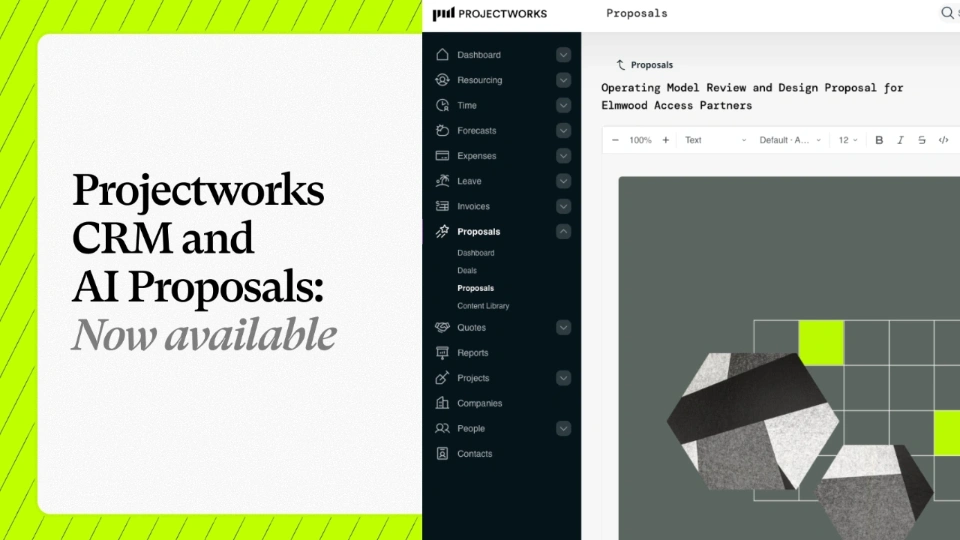
We're excited to announce that our Consulting CRM and Proposals are now available for anyone to use or try out. In just three months, a fast-growing group of firms have been running their pipeline and proposals in Projectworks as part of our early access group, and the results have blown us away.
-card.webp)
Projectworks has been named to the 2026 Inc. 5000, the annual ranking of fastest-growing private companies in the United States, for the second time. Building a global software business is not an easy thing to do. So when our growth shows up on a stage as competitive as the US market, it means a lot.