Ideal Client Finder Skill for Consulting Firms
Find out which clients made you money last year and which ones to go after next. A free skill for Claude, with a report you can read and action in ten minutes.

Most firms know who their biggest clients are. Fewer know which ones earn a decent margin, which are growing, and which are shrinking while everyone’s too busy to notice.
This skill ranks every client you billed in the last 12 months on revenue, margin and growth, then works out what your best clients have in common. You get:
- a short report with a ranked client list
- a plain description of your ideal client
- specific notes on where to hunt for new work and which existing accounts to grow
- the option to download a detailed spreadsheet for use anywhere
It’s written for consulting and professional services firms planning next year’s sales and business development.
What you get back
Every client gets a score out of 100. Revenue counts for 40%, margin 35% and growth 25%. The top 30% are Grow clients, the middle 40% are Review and the bottom 30% are Caution.
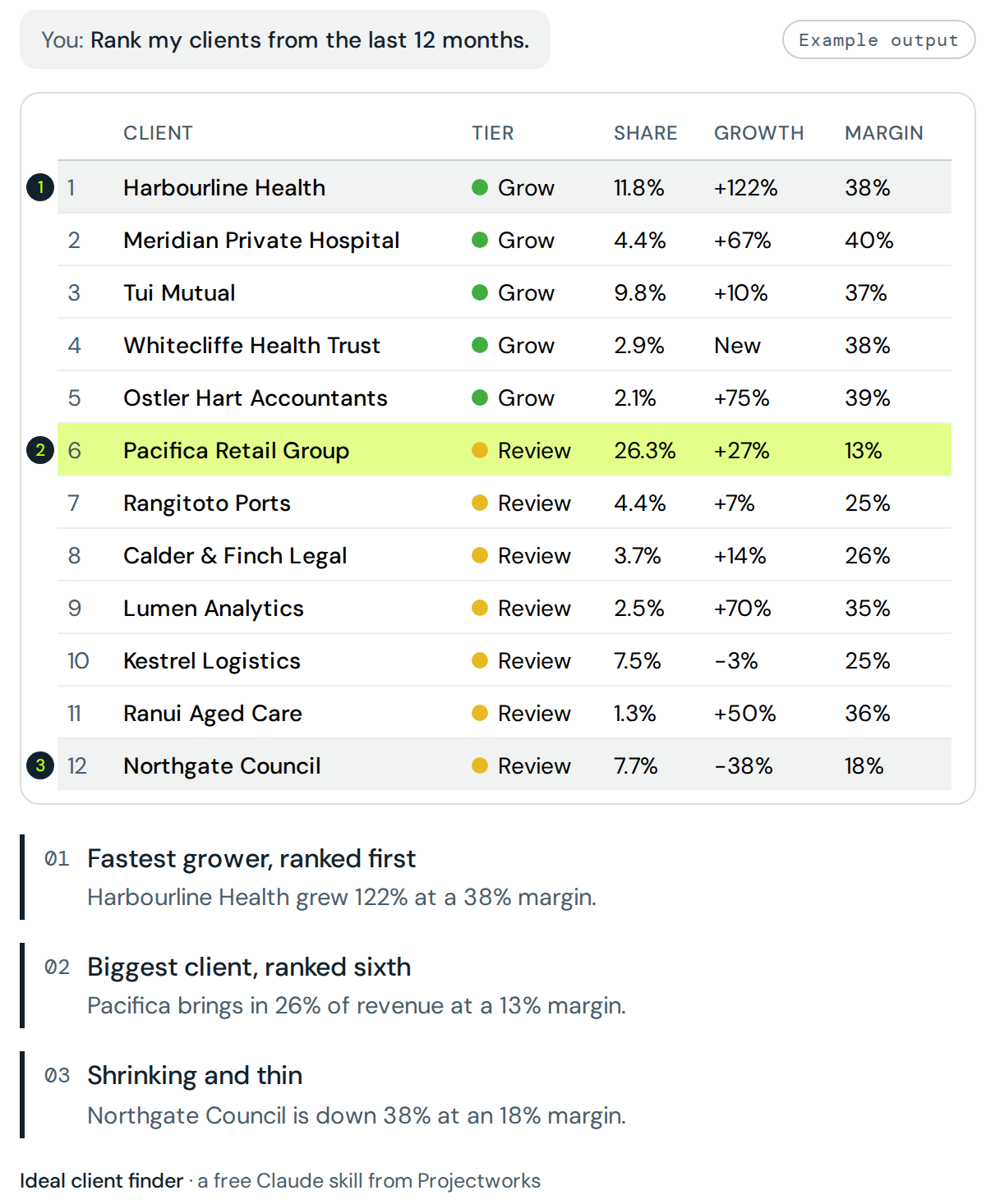
The skill also flags the things that should worry you. Any client over 25% of your revenue. Large clients running well below your average margin. Big accounts that shrank by more than a quarter, and clients who billed last year and not this one.
Then it turns the pattern into actions you can take into a sales meeting. For example, “Reprice Northgate Council before renewal. 11% of revenue at 18% margin, against 33% across the firm.” Every recommendation uses your own numbers and says how many clients it rests on, so you know when a pattern is solid and when it’s two data points.
Want to dig further? Ask for the full analysis as a spreadsheet, with the client ranking, segment tables and project sizes on separate sheets.
What you need
An invoice or WIP export with client, date, revenue and delivery cost for the last 12 months. Add the 12 months before that and the skill measures growth too. Six months is the minimum for useful results.
Hours, type of work, industry and project are optional, and each one sharpens the advice.
If you use the Projectworks MCP, the skill pulls invoices and project financials straight from your account, so there’s nothing to export. If your CRM is connected to Claude, it adds relationship context, such as how many contacts you have at each client, when you last spoke, open pipeline and how the work was won.
How to use it
- Download the skill and upload it to Claude under Settings, then Skills.
- Start a new chat and attach your export, or connect to the Projectworks MCP.
- Ask something like “who were our best clients this year?”
- Answer up to three quick questions about the period, any clients to leave out, and whether you’re chasing revenue, margin or less reliance on one big client.
- Read the report. Reply “send me the spreadsheet” if you want the full analysis.
Know who to chase and work out how many
The report ends with your ideal client profile. The next question is how many of those clients you need to hit next year’s number. The pipeline target calculator turns an annual revenue goal and your win rate into quarterly targets for proposals, deals and pipeline.
The skill is only as good as the export you give it. In Projectworks, revenue, cost, type of work and client industry already sit together, so the review runs on live numbers with no spreadsheet in between.
How to install the Ideal Client Finder in Claude
Don't unzip the file!
Claude needs the .zip exactly as it downloaded. If Safari on your Mac has turned it into a folder, right-click the folder and choose Compress, then upload the .zip that creates.
Install in five steps
1. Turn on file creation
Go to claude.ai/settings/capabilities and switch on Code execution and file creation. In newer versions of Claude it's called Create and edit files.
2. Open your skills
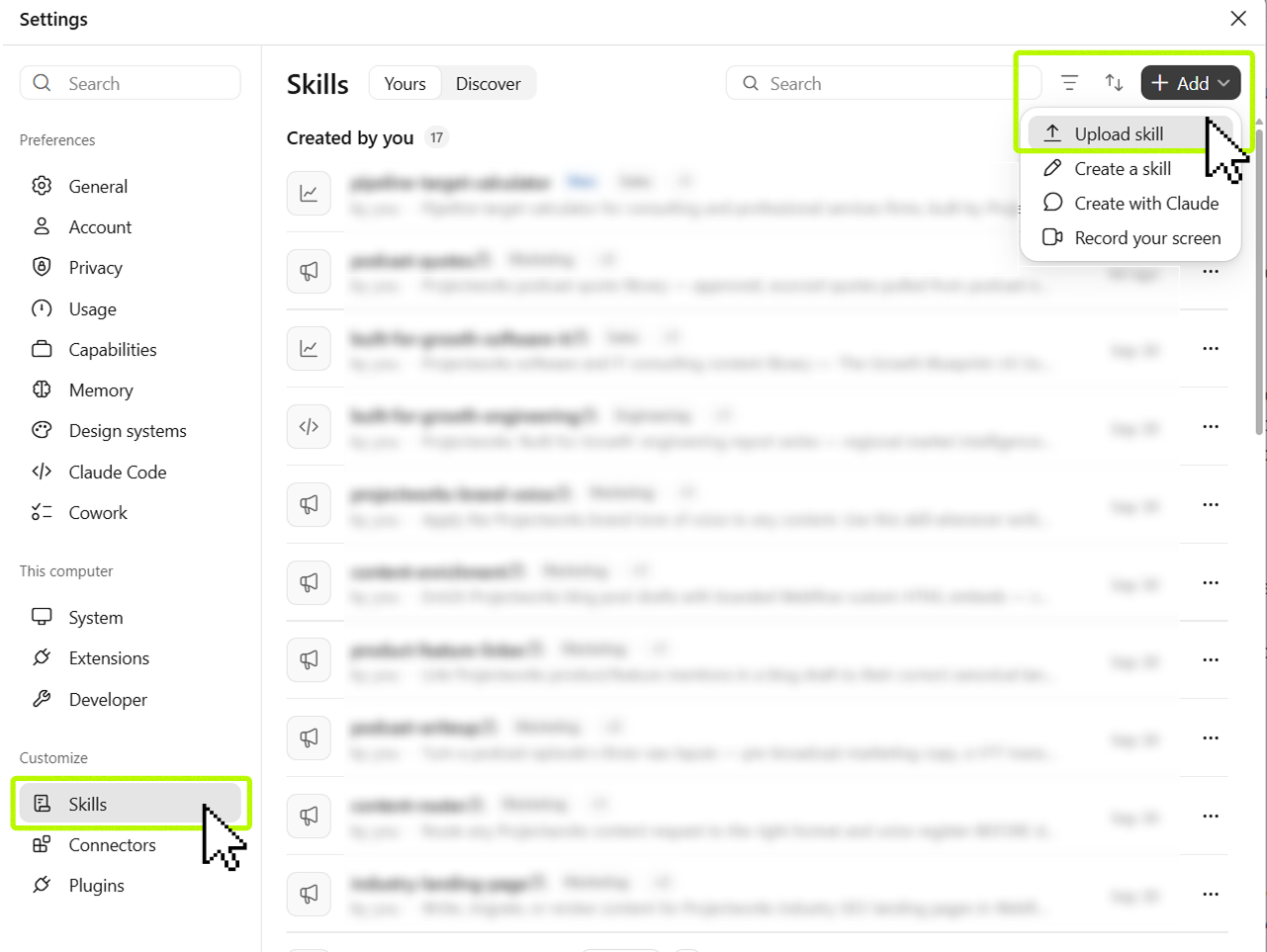
App: Click your user account on the bottom-left, then click Settings. Skills are found under Customize in the sidebar.
Web: Go to claude.ai/customize/skills.
3. Upload the skill
Click + Add > Upload Skill.
Drag the ideal-client-finder.zip from your Downloads into the file uploader, or browse for the file.
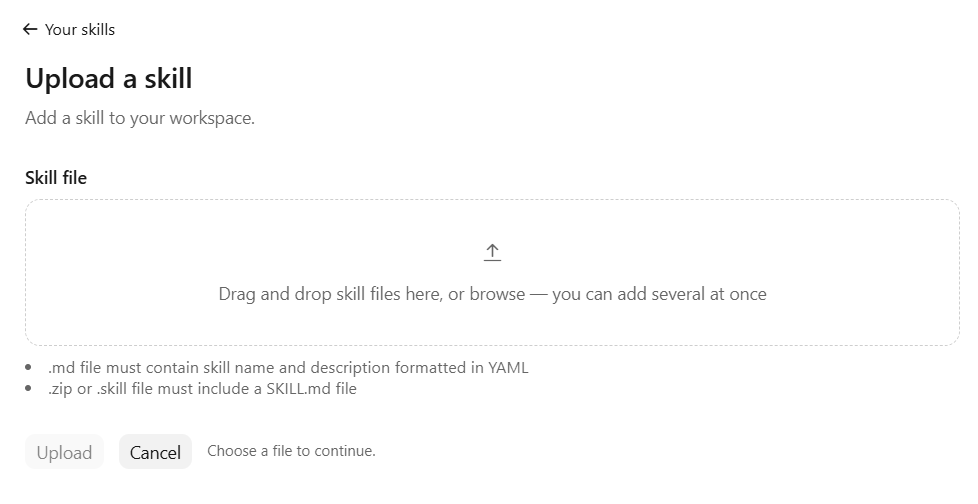
4. Check it's turned on
ideal-client-finder should appear in your skills list. Make sure the toggle on the right-hand side is turned on.

5. Start a new chat
Try testing the skill by asking it to rank your clients from the last 12 months.
Not working?
Check Anthropic's guide for more help: Use skills in Claude
FAQs
Who is this skill for?
Founders, managing partners and heads of business development at consulting, engineering, architecture, software and other professional services firms. It works best for firms with at least 10 active clients.
Do I need Projectworks to use it?
No. Any export from your practice management, PSA, accounting or time-tracking system works. Projectworks customers with MCP access can skip the export*
What if I don’t have cost data?
The skill will explain how to get it, usually from a WIP or project financials report. If there’s no way to get cost, it still runs, but the ranking shows size and growth, not profitability, and the report says so.
How much data do I need?
Twelve months, plus the twelve before that if you want growth as well. Six months is the minimum. It's worth noting that with less than a full year to compare against, the skill ranks on revenue and margin only.
Will it tell me to drop a client?
No. Caution means the client is worth a closer look at pricing and scope. Some low-margin clients are strategic, and you know things your invoices don’t.
Does Projectworks see my data?
No. The skill runs inside your own Claude account.
Does it work without code execution turned on in Claude?
Yes. Claude follows the same scoring method by hand, though the bundled script gives you identical results every time you run it.
Is it free?
Yes! Free to download and use.
*The Projectworks MCP is currently in early access.


Explore similar resources from Projectworks
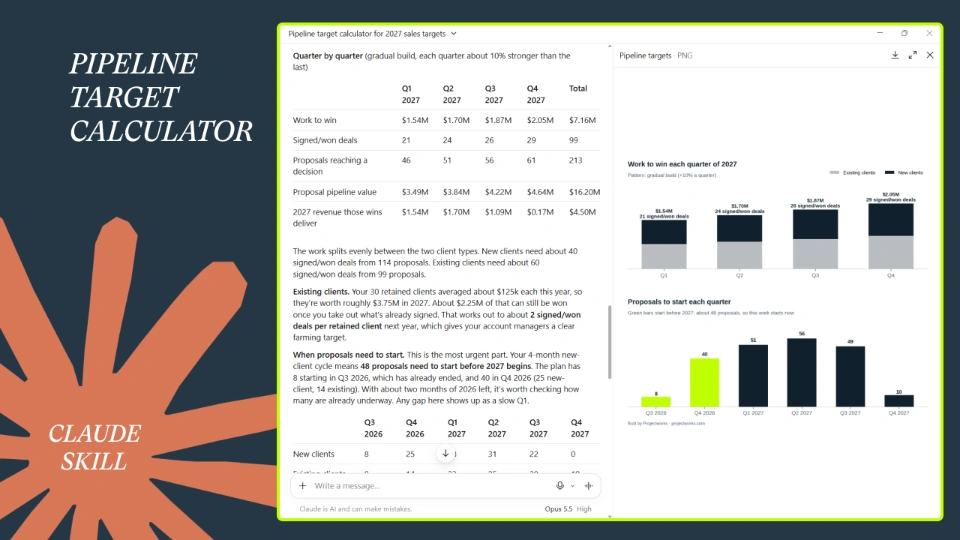
Turn your 2027 revenue goal into the proposals, pipeline and deals you need each quarter. Built for heads of sales, BD leads and founders who'd rather plan the year than guess at it.

Eleven pages that walk your client from “here’s our problem” to “where do I sign.” Free in Word and PDF. Instant download.

The best consulting sales people win new clients and grow the ones you already have, at a margin worth keeping. Build a sales incentive plan that pays them for both. Answer five questions about your firm and the role, and the sales incentive plan calculator gives you a one-page plan with your numbers in it, ready to download. Built for consulting and professional services firms of 10 to 200 people.