resources
BLOG
Resource Management

Connect Scheduling With Your Resource Management Software for Smarter Projects
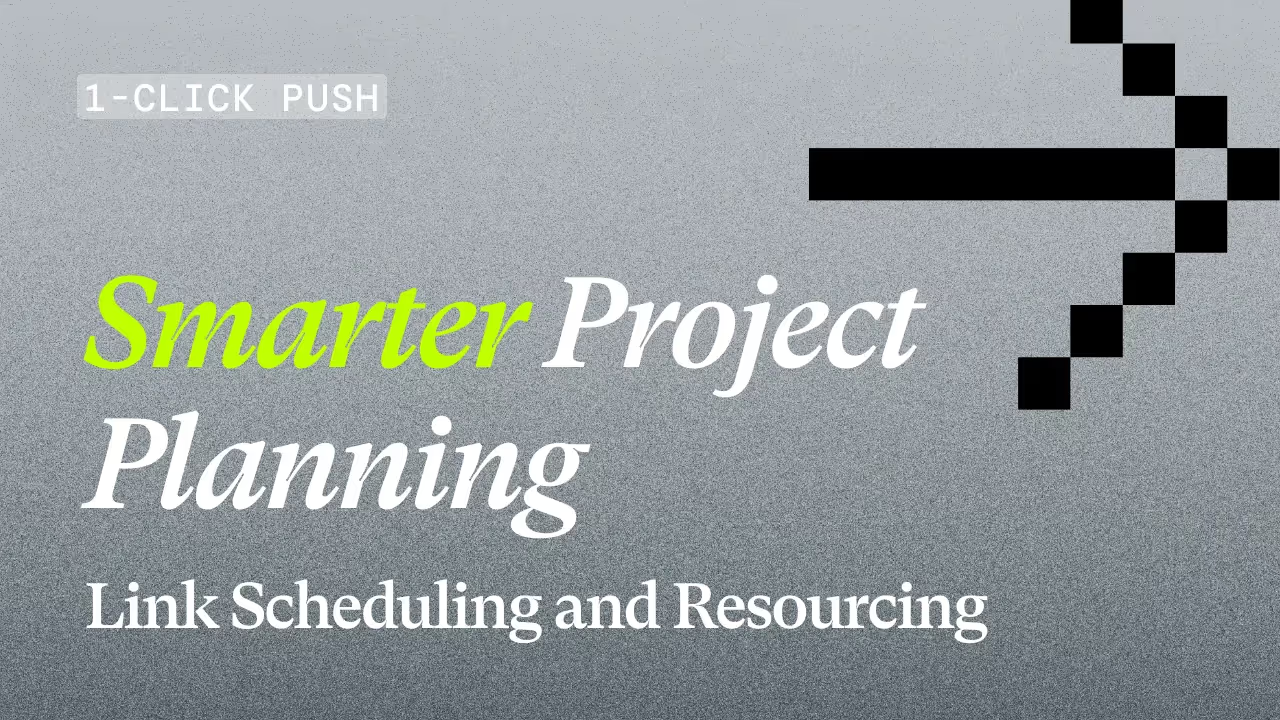

A gray background with a black gradient overlaid. There is a pixelated, black arrow in the top right of the image. There is white text that says, "1-CLICK PUSH", "Smarter Project Planning", and "Link Scheduling and Resourcing". The word "Smarter" is green.
Resourcing
Product Update
A gray background with a black gradient overlaid. There is a pixelated, black arrow in the top right of the image. There is white text that says, "1-CLICK PUSH", "Smarter Project Planning", and "Link Scheduling and Resourcing". The word "Smarter" is green.
Go deeper
Download our professional services ‘cheat sheet’ now

Projectworks has made this simpler than ever. Our latest enhancement connects Scheduling and Resourcing, making it easier than ever to plan, assign, and manage work across your projects - all within one seamless workflow in our resource management software.


Scheduling and Resourcing in PSA Software: How Projectworks Makes It Seamless

With this update, Projectworks users can now push project schedules directly into Resourcing with a single click. This eliminates repetitive setup tasks and ensures consistency between the schedule and resourcing plan.

It’s part of our ongoing mission to simplify project and resource management so consulting firms can grow confidently. The result: less time spent on admin, more time focused on delivering great (and billable!) work.

Best for: Projectworks users who build detailed project schedules.
When to use: During setup at the start of a project.

Scheduling in Projectworks Helps You Plan and Visualize Delivery

In Projectworks, the Schedule tab is where project managers plan out the delivery of work. Once you’ve created a time-based budget for your project, and added time codes with start and end dates, the Schedule tab maps them to a linear timeline.

This creates your digital Gantt chart - showing every timecode in a clear, visual layout. You can add dependencies and adjust time codes by clicking and dragging.

The Schedule in Projectworks gives teams a high-level overview of how work is distributed across the project lifecycle. It’s an essential project planning tool that ensures every piece of work has a clear home and timeline.

Learn how to set up a Schedule in Projectworks.

Resourcing in Projectworks Aligns Teams to the Project Plan

Resourcing is where you connect that plan to your people. It’s how firms ensure the right team members are available to deliver what’s been scheduled. Projectworks resourcing software provides consulting project teams with full visibility into employee capacity, utilization, and workload.

Managers can view how individuals or teams are allocated across projects, spot potential bottlenecks, and make quick adjustments when priorities change. Flexibly managing staff assignments is at the heart of resource management planning - helping firms balance delivery commitments with available capacity.

"Suddenly we could see our resourcing three months ahead instead of three weeks,"

People and profit: See how bdna used Projectworks to grow by 60%.

Connecting Scheduling and Resourcing in Your PSA Tool Removes Operational Friction

Here’s what this improvement means for your team:

  • Faster setup: Push your project Schedule directly into Resourcing with one click.
  • Consistent data: Keep timelines aligned across modules.
  • Greater visibility: Instantly see how scheduling decisions affect your team’s capacity.
  • Better planning: Adjust schedules confidently, knowing your resourcing can be re-published with a click.

This enhancement makes Projectworks one of the most intuitive resource planning tools available for professional services - bringing Scheduling, Resourcing, and soon, Forecasting, into one connected experience.


Looking Ahead: Linking Resourcing to Forecasting Enables Smarter, Data-Driven Planning

The next step on our roadmap is to connect Resourcing to Forecasting - enabling an even smarter flow of information across the Projectworks platform.

Learn how Projectworks can support your reporting needs, including forecasting effort, revenue, and margin into the future.

Soon, you’ll be able to sync project schedules to resourcing and forecasted effort, ensuring your data stays aligned without manual updates. This evolution in project and resource management will give consulting firms a comprehensive view of their plans, current workload, and future demand, enabling proactive decision-making.


Connected Scheduling and Resourcing Drive On-Time, On-Budget Delivery

Managing your project timelines and team capacity in one connected professional services automation software transforms how professional services firms operate.

With Projectworks resource management software, you can:

  • Eliminate manual re-entry between Scheduling, Resourcing, and Forecasting
  • Improve visibility and accuracy across projects
  • Save time with end-to-end planning workflows
  • Deliver projects more confidently and profitably

This connection between Scheduling and Resourcing is a major step toward a more connected, automated, and user-friendly resource management tool. It’s another step on our ongoing journey to simplify project delivery for professional services.

Learn more about this Scheduling update in our Help Center.


Stay in the Loop

Want to stay up-to-date with Projectworks product updates as they drop? Make sure to check our Release Notes regularly - we update these every 2 weeks. To get monthly updates straight to your inbox, sign up to our product mailing list.

Share:
learn more

Download our professional services ‘cheat sheet’.

Whether you’re at $5M, $15M, or $50M, this cheat sheet maps the moves that separate firms who stall from firms who scale.

UP next:
By subscribing you agree with our Privacy Policy.
Thank you! Your submission has been received!
Oops! Something went wrong while submitting the form.
Keep reading

Read similar resources from Projectworks

Building Provoke: From 0-150 Staff
resource type

In a recent Projectworks Podcast episode, Doug Taylor (who co-founded Provoke and scaled it to 150 staff) sat down with Mark Orttung (who took Nexient from $30m to $130m). Together, they co-wrote The $50 Million Consulting Firm, and in this episode they shared a collection of lessons they wish they'd had earlier when scaling their software consulting firms.

Jacob Lawrie
April 20, 2026
resource type
resource type

Novigi has an impressive story. Since launching in 2016, they’ve scaled to 550 staff across six offices and two countries, while becoming the fastest-growing professional services firm on the AFR Fast 100 - their story is worth studying.

Bernadette Keating
April 9, 2026
resource type
resource type

”When new work comes in, we have the right people, ready to go. Winning work and protecting the team, we never have to choose just one.” How often can you confidently say the same? Facing resourcing questions about upcoming projects can sound simple, but if your schedules are built on assumptions and capacity is only estimated, face it, your resource planning is under-engineered!

Bernadette Keating
April 12, 2026
resource type
Resource Management
Resourcing
,
Product Update

Connect Scheduling With Your Resource Management Software for Smarter Projects

By
Charlotte Steel
8.12.2025
Connect Scheduling With Your Resource Management Software for Smarter Projects

Great delivery starts with great project and resource planning - and professional services firms know that commercial success depends on aligning people, time, and priorities.

Projectworks has made this simpler than ever. Our latest enhancement connects Scheduling and Resourcing, making it easier than ever to plan, assign, and manage work across your projects - all within one seamless workflow in our resource management software.


Scheduling and Resourcing in PSA Software: How Projectworks Makes It Seamless

With this update, Projectworks users can now push project schedules directly into Resourcing with a single click. This eliminates repetitive setup tasks and ensures consistency between the schedule and resourcing plan.

It’s part of our ongoing mission to simplify project and resource management so consulting firms can grow confidently. The result: less time spent on admin, more time focused on delivering great (and billable!) work.

Best for: Projectworks users who build detailed project schedules.
When to use: During setup at the start of a project.

Scheduling in Projectworks Helps You Plan and Visualize Delivery

In Projectworks, the Schedule tab is where project managers plan out the delivery of work. Once you’ve created a time-based budget for your project, and added time codes with start and end dates, the Schedule tab maps them to a linear timeline.

This creates your digital Gantt chart - showing every timecode in a clear, visual layout. You can add dependencies and adjust time codes by clicking and dragging.

The Schedule in Projectworks gives teams a high-level overview of how work is distributed across the project lifecycle. It’s an essential project planning tool that ensures every piece of work has a clear home and timeline.

Learn how to set up a Schedule in Projectworks.

Resourcing in Projectworks Aligns Teams to the Project Plan

Resourcing is where you connect that plan to your people. It’s how firms ensure the right team members are available to deliver what’s been scheduled. Projectworks resourcing software provides consulting project teams with full visibility into employee capacity, utilization, and workload.

Managers can view how individuals or teams are allocated across projects, spot potential bottlenecks, and make quick adjustments when priorities change. Flexibly managing staff assignments is at the heart of resource management planning - helping firms balance delivery commitments with available capacity.

"Suddenly we could see our resourcing three months ahead instead of three weeks,"

People and profit: See how bdna used Projectworks to grow by 60%.

Connecting Scheduling and Resourcing in Your PSA Tool Removes Operational Friction

Here’s what this improvement means for your team:

  • Faster setup: Push your project Schedule directly into Resourcing with one click.
  • Consistent data: Keep timelines aligned across modules.
  • Greater visibility: Instantly see how scheduling decisions affect your team’s capacity.
  • Better planning: Adjust schedules confidently, knowing your resourcing can be re-published with a click.

This enhancement makes Projectworks one of the most intuitive resource planning tools available for professional services - bringing Scheduling, Resourcing, and soon, Forecasting, into one connected experience.


Looking Ahead: Linking Resourcing to Forecasting Enables Smarter, Data-Driven Planning

The next step on our roadmap is to connect Resourcing to Forecasting - enabling an even smarter flow of information across the Projectworks platform.

Learn how Projectworks can support your reporting needs, including forecasting effort, revenue, and margin into the future.

Soon, you’ll be able to sync project schedules to resourcing and forecasted effort, ensuring your data stays aligned without manual updates. This evolution in project and resource management will give consulting firms a comprehensive view of their plans, current workload, and future demand, enabling proactive decision-making.


Connected Scheduling and Resourcing Drive On-Time, On-Budget Delivery

Managing your project timelines and team capacity in one connected professional services automation software transforms how professional services firms operate.

With Projectworks resource management software, you can:

  • Eliminate manual re-entry between Scheduling, Resourcing, and Forecasting
  • Improve visibility and accuracy across projects
  • Save time with end-to-end planning workflows
  • Deliver projects more confidently and profitably

This connection between Scheduling and Resourcing is a major step toward a more connected, automated, and user-friendly resource management tool. It’s another step on our ongoing journey to simplify project delivery for professional services.

Learn more about this Scheduling update in our Help Center.


Stay in the Loop

Want to stay up-to-date with Projectworks product updates as they drop? Make sure to check our Release Notes regularly - we update these every 2 weeks. To get monthly updates straight to your inbox, sign up to our product mailing list.

Join our professional services community

Subscribe for the latest updates delivered straight to your inbox.

By subscribing you agree with our Privacy Policy.
Enjoying this article?
Share it with the world!

Related Articles

5 Lessons on Scaling a Consulting Firm, from the Founder of Provoke
Consulting Advice
Z Suite
,
Growth

5 Lessons on Scaling a Consulting Firm, from the Founder of Provoke

In a recent Projectworks Podcast episode, Doug Taylor (who co-founded Provoke and scaled it to 150 staff) sat down with Mark Orttung (who took Nexient from $30m to $130m). Together, they co-wrote The $50 Million Consulting Firm, and in this episode they shared a collection of lessons they wish they'd had earlier when scaling their software consulting firms.

Turning an Operational Discipline Into a Growth Engine
Consulting Advice
Z Suite

Turning an Operational Discipline Into a Growth Engine

Novigi has an impressive story. Since launching in 2016, they’ve scaled to 550 staff across six offices and two countries, while becoming the fastest-growing professional services firm on the AFR Fast 100 - their story is worth studying.

Double Your Revenue Growth With Effective Resource Planning
Resource Management
Revenue
,
Growth

Double Your Revenue Growth With Effective Resource Planning

Your sales pipeline and marketing funnel are important as a source of leads and revenue, but the real driver of growth for your consulting firm may be from an unexpected source: effective resource planning. Building an efficient lead-to-close system will drive revenue, but if you can’t deliver the work efficiently and profitably, your firm isn’t actually growing; it’s just getting more busy.